Calendar Restore app icon

Bring back deleted
calendar events.

Deleted a meeting by mistake? Calendar Restore finds it in your snapshots and puts back just that event — without rolling back your whole calendar.

Coming soon to the Mac App Store

For macOS 15 Sequoia or later · iCloud, Exchange and On My Mac calendars

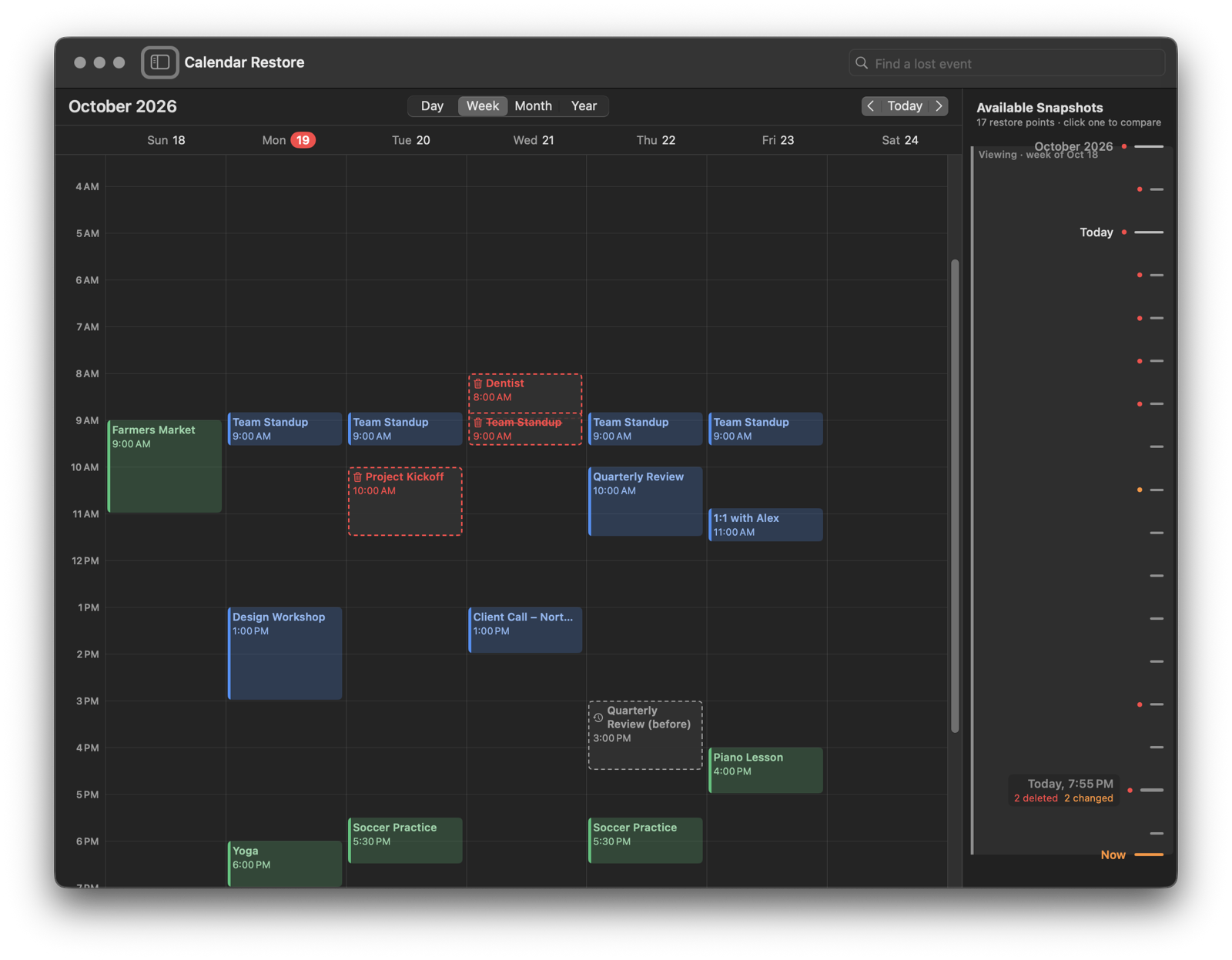
Calendar Restore showing a week with three deleted events and one changed event since a snapshot

Your calendar, with an undo.

Calendar on the Mac can't put back a single deleted event, and restoring a whole calendar from a backup throws away everything since. Calendar Restore can.

Automatic snapshots

Every few hours, whenever something changed, a compact snapshot of your calendars is saved. Kept for up to two years.

See what changed

A familiar Day, Week, Month and Year view shows what was deleted, changed or added since any snapshot.

Restore one event

Put back a single event with its time, place, notes, link and alerts — into its original calendar or another.

Precise, not all-or-nothing.

Click a deleted event and choose Restore Event. Everything else in your calendar stays exactly as it is.

  • Repeating events come back with their edited and deleted occurrences.
  • Or restore just one occurrence of a repeating event on its own.
  • Find a lost event by name across all your snapshots.
  • Restored events sync through iCloud or Exchange like any event you create.
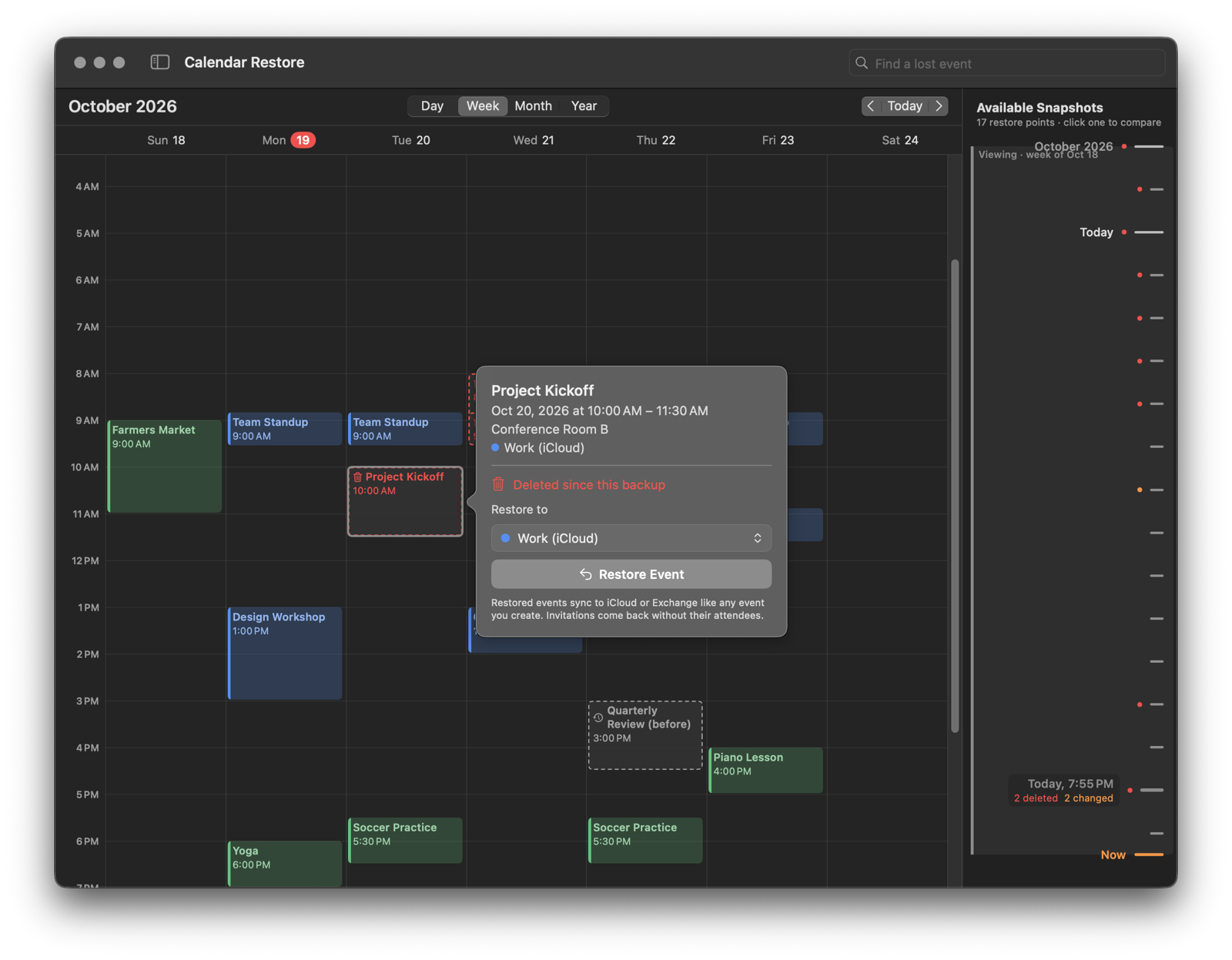
Restoring a deleted event named Project Kickoff

Safe in your iCloud.

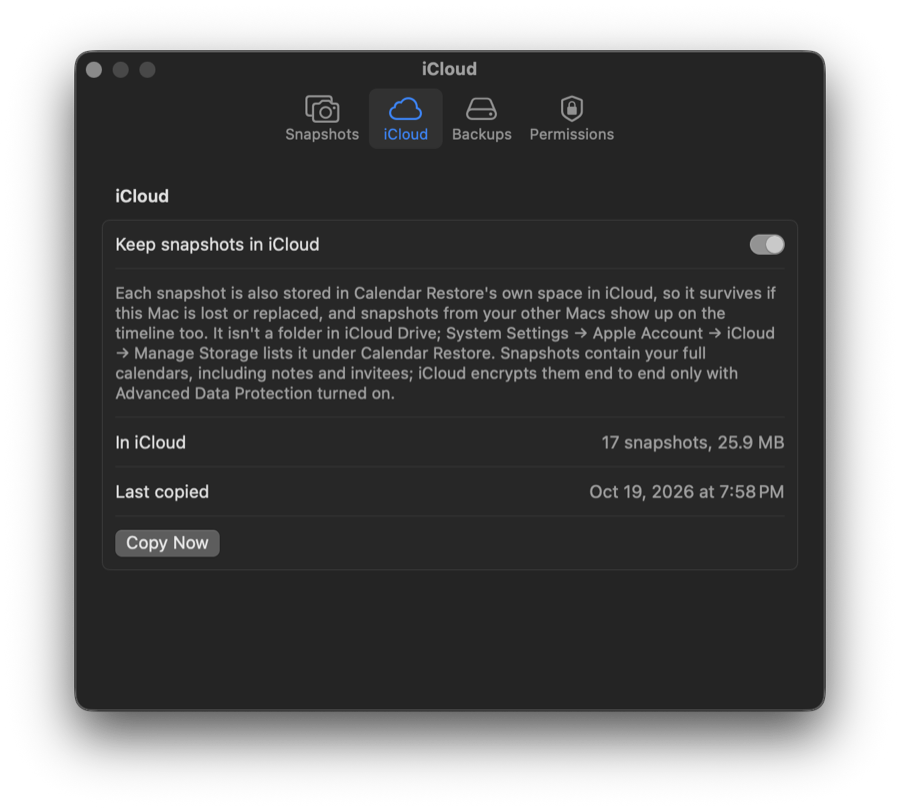
Optionally keep snapshots in your own iCloud. They survive if your Mac is lost or replaced, and you can restore from them on any of your Macs.

  • Needs only Calendar access.
  • No accounts, no servers, no tracking. The developer collects no data.
  • Designed and built in Redlands, California, by an independent developer.
Calendar Restore settings for keeping snapshots in iCloud